

Share an HTML Report as a Link Instead of an Attachment
A report-sharing workflow with a public-data check, a reader test, and a prompt that keeps the report portable.
FIGMENT JOURNAL
Practical answers for building, editing, and moving your site.
A report-sharing workflow with a public-data check, a reader test, and a prompt that keeps the report portable.
Claude can produce a website two different ways — a single-page artifact you share as a claude.ai link, or a full set of project files that Claude Code writes for you. Neither one is, by itself, a live site on your own domain. This guide covers what each route actually produces, how an artifact is shared, and the separate deployment step every route needs, sourced from Anthropic's own documentation.
Figma Make and Lovable both turn a prompt into a working prototype or web app with real code, but they start from different places: Make lives inside Figma and can attach an existing design directly, while Lovable is a standalone builder that imports a Figma file through a separate integration. This guide compares the starting point, what each builds, publishing and hosting, code access, and pricing, sourced from each vendor's own pages.
Replit and Bolt both let an AI agent build and deploy an application from a prompt, but Replit wraps that in a full cloud development environment with four distinct deployment types, while Bolt is a narrower builder that publishes straight to its own hosting. This guide compares what each builds, deployment and hosting, GitHub and database, and pricing, sourced from each vendor's own pages.
Base44 and Bolt both turn a prompt into a working application with a database behind it, but they diverge on where a project can start from and how the backend is built. Bolt documents importing an existing GitHub repository as a starting point; Base44's GitHub integration connects an app you already built in Base44, not an external codebase. This guide compares what each builds, backend and database, hosting, code export, and pricing, sourced from each vendor's own pages.
v0 prices Free at $0, Plus at $30/user/month (shown with a $90 reference price), and Business at $100/user/month, plus a custom Enterprise tier and a legacy Premium plan being phased out. This guide covers what each plan unlocks, how v0's prepaid credit system works, and its per-model token rates, sourced from v0's own pricing and docs pages.
Figma has two AI routes of its own - the Figma MCP server and Figma Make - and several outside vendors, including Anima, Locofy, Builder.io and v0, each convert a design to code their own way. This guide covers what each one actually produces and what still needs a developer, sourced from each product's own docs.
Figma-to-HTML plugins split into two structurally different kinds: ones that export code you host yourself, and ones that publish a hosted page directly. This guide covers what each kind actually produces, using two real plugins' own pages as examples, and what to check before you rely on either.
Figma and Framer aren't really fighting for the same job: Figma is a general design and prototyping tool, and Framer is a site builder that happens to include its own design canvas. This guide covers what each does, how a Figma design gets into Framer, and what each costs, from each vendor's own pages.
Figma Sites has no standalone price tag: it's gated to a Full seat on a paid Figma plan, and its custom-domain and bandwidth terms are still governed by a beta policy tied to a 2025 date. This guide covers exactly what Figma's pricing page and help center say.
Figma Make doesn't have its own price tag - it comes bundled with a Full seat on a paid Figma plan, and its real cost shows up as AI credits per month. This guide covers what each plan and seat includes, checked against Figma's own pricing page and help center.
Figma Sites and Framer both let you design on a canvas and publish the result as a real website, with a CMS and custom code layered on top. This is a side-by-side of what each one's own documentation says about the editor, CMS, code, custom domains, and pricing.
A custom 404 page has one real job by Google's own standard: tell the visitor clearly that the page is gone, and help them get somewhere useful. Here's what Google's crawling documentation says about that, what a soft 404 actually is, and the exact steps Squarespace, Wix, and Webflow each document for building one.
An Open Graph image is the picture that shows up when your page's link is shared on social platforms, set with the og:image meta tag from the open ogp.me protocol. This guide covers the tags, the sizes each platform actually documents, and how to check the preview before you share.
Google doesn't state a meta description character limit anywhere in its own documentation. It does explain, in its own words, when it uses your meta description versus page content, and why the displayed snippet gets cut off anyway.
Google's Search Central documentation does not state a character limit for title tags. It does explain, in its own words, where a title link comes from, when Google rewrites it, and why long titles get cut off on the results page.
10Web's AI website builder turns a prompt into a live WordPress site, hosted on 10Web's own managed stack, editable by chat, visual point-and-click, or direct code. This guide covers what it actually generates, its editing modes, and its current plans, sourced only from 10web.io.
A website redesign rarely costs search traffic because the new design is different — it costs traffic because a URL, a page title, or a piece of ranking content quietly disappeared during the move. This guide sets the order that protects against that: inventory what you have, decide what happens to every URL, fix content before layout, test before launch, then confirm the move in Search Console.
OpenAI documents two different ways ChatGPT can produce a website: ChatGPT Sites, a public-beta feature that creates, publishes, and hosts a site with its own URL, and writing/code blocks, which generate portable HTML you deploy yourself. This guide covers what each one does, who can use it, and its documented limits, sourced from OpenAI's own help center.
Cursor and Lovable solve different problems that both involve AI writing code: Cursor is an editor for a codebase you already have or are building by hand, while Lovable generates a full application and hosts it for you from a chat prompt. This guide compares who each is for, where the code lives, hosting, pricing, and what you can take with you.
Bolt and v0 both generate a working, database-backed application from a prompt with real, exportable code, but they diverge on how deeply Git and deployment governance sit inside the product. Once a v0 project is connected to GitHub, every publish goes through a working branch, a pull request, and CI; without GitHub, v0 deploys straight to Vercel. Bolt edits more directly and owns its own hosting and database infrastructure. This guide compares what each builds, Git and deployment mechanics, hosting, databases, and pricing, sourced from each vendor's own documentation.
Lovable prices Free at $0, Pro at $25/month, and Business at $50/month on its default monthly view, plus a custom-priced Enterprise tier. This guide covers what each plan unlocks, how Lovable's single shared credit balance works, and what the annual billing toggle changes, sourced from Lovable's own pricing page.
Lovable and Bolt both turn a prompt into a working, database-backed application with real code, but they diverge on how you get an existing GitHub repository in, what a downgrade costs you, and how each one prices usage. This guide compares what each builds, hosting, code export and GitHub, and pricing, sourced from each vendor's own pages.
Replit's pricing page defaults to yearly billing, showing Core at $18/month and Pro at $90/month billed annually ($20 and $100 on the monthly toggle), each bundling $20 or $100 of monthly usage credits. This guide covers what each plan unlocks, how credits and Effort-Based Pricing actually work, and what happens when you run out, sourced from Replit's own pricing page.
A Claude artifact is a self-contained piece of work Claude builds next to the conversation, from a document to a small interactive app. This guide covers what an artifact is, which plans can create and share one, the difference between a legacy artifact and a current one, access levels, email invitations, and what a visitor needs to open a shared link.
A website audit is really nine smaller checks, each with its own free official tool: Google Search Console for indexing and sitemaps, PageSpeed Insights for speed, and more. This checklist pairs each item with the tool that actually checks it.
Squarespace, Wix, and Shopify each document a native cookie consent banner, with different scopes and limits. Webflow's own help center documents tracking-consent settings and specific third-party integrations rather than a built-in banner. This guide describes each, from the vendors' own pages, and isn't legal advice.
Webflow AI isn't one feature — it's a set of separate tools, some gated by plan and some metered by a shared AI-credit system. This guide breaks down what the AI site builder, AI Assistant, CMS generation, and SEO/AEO audits each do, sourced from Webflow's help center.
GoDaddy's Airo brand covers two different things: a starter-site and asset generator you get with a domain purchase, and Airo AI Builder, a separate chat-driven site and app builder with its own paid plans. This guide, sourced from GoDaddy's own pages, explains what each actually does.
Wix Studio is a separate platform from the classic Wix Editor, built around client work: automated responsive breakpoints, custom CSS, three coding options, and a client handoff kit. This guide covers what it actually adds and why a site can't move between the two editors later.
Writers leaving Medium are usually trying to fix one of three things: a custom domain that requires an ongoing paid membership, a Partner Program where Medium alone determines payouts, or a subscriber list that can export empty. This guide checks what Medium's own help center documents on each, then what Substack, Ghost, beehiiv, and running your own site each document instead, sourced from every vendor's own pages, with no ranking.
Weebly's own support site confirms it is shutting down in 67 named countries, while Squarespace has no comparable announcement. This guide covers that status first, then compares real capabilities, export, ecommerce, AI editing, and pricing, sourced from each vendor's own pages.
Wix generates a sitemap index automatically and updates it whenever your site changes, and completing its SEO Setup Checklist submits that sitemap to Google for you. This guide covers what the sitemap contains, what Wix documents about noindexed and password-protected pages, and where you can't edit it, sourced from Wix's own help center.
Squarespace generates sitemap.xml automatically for every public site and keeps it updated, but it leaves out disabled, hidden, and password-protected pages, and it doesn't submit the file to Google for you. This guide covers what the sitemap includes, how to submit it, and what you can't edit, sourced from Squarespace's own help center.
beehiiv and Substack both publish a newsletter with paid subscriptions, but they split on the fee: beehiiv takes 0% of paid-subscription revenue on its paid plans, Substack takes 10% on every plan since it doesn't have tiers. This guide checks fees, custom domains, plans, export, and monetization tools, sourced from each vendor's own pages.
Framer and WordPress start from opposite premises: Framer is a closed, hosted platform with a growing built-in feature set, while WordPress is free, open-source software that runs on hosting you choose, extended by plugins rather than platform features. This is a sourced capability matrix, not a verdict.
Squarespace doesn't market a single feature called 'the CMS' - it splits repeating content into collection page types (blog, store, events, portfolio, and more), each with its own item limit. This guide covers those types, the page and item limits Squarespace documents, and what actually imports and exports, sourced from Squarespace's own help center.
Squarespace splits styling and code into separate tools with separate plan gates: the CSS editor is open to every plan, while JavaScript and code injection need Core, Plus, or Advanced. This guide covers where to find the CSS editor, how it differs from Code Injection, uploading images for use in CSS, and what Squarespace support will and won't help with.
Most people who leave Substack are trying to fix one of three things: the 10% cut of paid subscriptions, a design system with no custom code, or the fact that Substack has no self-hosted or exportable version to move to. This guide checks what Ghost, beehiiv, Kit, and running your own site each document for fees, ownership, and design, sourced from each vendor's own pages.
A UX portfolio is judged on process, not just final screens, which creates two problems most builders don't solve by default: gating a case study built on confidential client work, and showing a live, interactive Figma prototype rather than static screenshots. This guide covers what each part needs and how Webflow, Squarespace, Framer, and Figma document the mechanics, sourced from their own help pages.
An architecture portfolio's real requirements are project pages that hold plans, sections, and photos together, image and file limits that can handle large drawings, a PDF option alongside the site, and somewhere to credit collaborators. This guide checks what Squarespace and Cargo each document for those jobs.
Webflow gives you three separate ways to add a typeface: the Google Fonts integration, an Adobe Fonts connection, or uploading your own font file directly. This guide covers how each works, which one actually needs a paid plan, supported file formats, and the licensing responsibility Webflow puts on you, sourced from Webflow's own Help Center.
Wix's CMS organizes structured content into collections, which feed dynamic list and item pages you design once and reuse for every entry. This guide covers collections, dynamic pages, plan-based item limits, CSV import/export, and collection permissions, sourced from Wix's own help center.
Framer's CMS builds a portfolio the same way it builds a blog: one collection of projects, one detail-page layout every project reuses. This guide covers that structure, what Framer's free plan actually restricts, and how Marketplace portfolio templates work, sourced from Framer's own help center, Academy lessons, and pricing page.
A wedding website has four jobs beyond looking good: collect RSVPs (sometimes per-event), keep uninvited people out, link a registry, and come down cleanly afterward. This guide checks what The Knot, Zola, Squarespace, and Wix each document for those jobs, sourced from each vendor's own pages.
Wix Portfolio is a dedicated app, not a template feature: you add projects, group them into collections, and upload media with no stated per-project limit. This guide covers how it's structured and which parts of the experience actually require a Premium plan, sourced from Wix's help center.
A church's website has five real jobs: show service times and location, host sermon audio or video, take online giving, list events including a weekly service, and keep some content members-only. This guide checks what Squarespace, Wix, and the church-specific builder Tithely each document for those five jobs, sourced from each vendor's own pages.
A Squarespace portfolio page (7.1) is a landing page that links out to up to 60 project sub-pages, each built from gallery sections capped at 250 images and a 20 MB per-image limit. This guide covers how projects and galleries actually work, how to password-protect one, and which plan you need, sourced from Squarespace's own help center.
Webflow has no dedicated portfolio feature, but its CMS Collection Pages are built for exactly this job: one project layout, populated by adding items rather than duplicating pages. This guide covers that structure, what the free Starter plan actually restricts, and how portfolio templates work, sourced from Webflow's own help center.
Webflow hosting is included with every Site plan rather than sold as a separate product, and it covers SSL, a global CDN, and a free webflow.io address before you ever connect a domain. This guide covers what a Site plan's hosting actually includes, how it differs from a Workspace plan, and what code export does and doesn't let you take elsewhere, sourced from Webflow's own help center and pricing page.
Webflow can build and update your sitemap.xml automatically every time you publish, or you can turn that off and paste in your own. This guide covers the exact toggles for auto-generating, excluding a page, writing a custom sitemap, and the related robots.txt settings, sourced from Webflow's help center.
Webflow runs one editor and gates its CMS and code export behind separate paid plans; Wix runs three different editors with a CMS that isn't in all of them yet, and no export at all, ever. This is a sourced, dated capability comparison, not a verdict.
Carrd has one free plan and three paid tiers, all billed yearly, and the features that matter most — a custom domain and working forms — don't unlock until the second paid tier. This guide reads carrd.com/pro's plan grid column by column so you know exactly what each price buys.
A personal website has a short, practical job list - say who you are, show your work, give people a way to reach you, and live at an address you control - and several genuinely different ways to build it. This walks through what to put on the page and the real build options, from a one-page tool to your own static host, with costs stated only as each vendor documents them.
Netlify runs all four of its plans on one credit system, where deploys, bandwidth, compute, and requests all draw from the same monthly pool rather than separate named quotas. This walks through what each plan costs and includes, and exactly how the credits get spent, sourced from Netlify's own pricing page and docs.
Notion Sites turns any Notion page into a public website with one click, on a free notion.site domain or, on a paid plan, a custom domain you already own. This guide covers the actual publish flow, plan gates, SEO settings, and documented limits, sourced from notion.com and Notion's Help Center.
Google Sites starts every new site from either a blank page or the built-in Template Gallery, which hands you a pre-built layout to fill in rather than a locked design. This guide covers what a template actually includes, the separate custom-template system available only to Google Workspace organizations, and its real limits, sourced from Google's own help pages.
Vercel prices three tiers - a free, non-commercial Hobby plan, a credit-based Pro plan billed per seat, and a custom Enterprise plan - and most of what you pay beyond the base fee is metered usage, not a flat feature toggle. This walks through what each plan includes and costs, sourced from Vercel's own pricing and docs pages.
Webflow and Shopify take different approaches to selling online: Webflow adds a separate Ecommerce plan with an item cap and shrinking transaction fee on top of a Site plan, while Shopify bundles unlimited products and checkout into every plan and instead scales pricing by staff accounts and card rates. This guide compares both on their own pricing pages.
GitHub Pages is free static hosting tied to a GitHub repository, with a documented usage policy that rules out running a commercial site on it. Here's what it hosts, how publishing and Jekyll actually work, and the size, bandwidth, and private-repository limits GitHub states directly.
Squarespace changes fonts site-wide through Site Styles, using either a pre-built font pack or individually styled font categories, drawn from a library of 600 Google Fonts and 1,000 Adobe Fonts. This guide covers how each option works and how to upload your own font file instead, sourced from Squarespace's own Help Center.
Webflow's Template Marketplace sells free templates and paid ones on a single-use license, and starting a site from either creates a brand-new site in your Dashboard. This guide covers what each license actually allows, the page-count rule that forces a paid Site plan, and what you can change afterward, sourced from Webflow's own documentation.
Divi and Elementor are both visual, drag-and-drop page-builder plugins for WordPress, but they gate features differently: Elementor has a genuinely free plugin and per-site paid tiers, while Divi sells unlimited-site memberships with no free version. This guide checks each vendor's own pricing page for what's actually included.
WordPress.com's pricing page shows five plans - Free, Personal, Premium, Business, and Commerce - gated mainly by storage, plugin access, and ecommerce tools. This guide reads the page as it displays today, states which billing view its numbers come from, and covers what each plan actually unlocks.
Zyro no longer exists as a separate product - it was merged into Hostinger, and zyro.com now redirects straight to Hostinger's website builder. This guide covers what actually happened, and what a former Zyro user's site, account, and plan look like now, sourced from Hostinger's own site and support center.
Every Wix site starts on a free wixsite.com address; a custom domain requires a paid plan, either purchased through Wix or connected from another registrar. This guide covers the free domain voucher's conditions, the two ways to connect an outside domain, and what changes when you transfer a domain into or out of Wix.
Weebly and Wix are both closed, hosted website builders, but only one of them is currently shutting down in dozens of countries. This guide covers that status first, then compares real capabilities, export, ecommerce, AI editing, and SEO, sourced from each vendor's own pages.
WordPress core already ships a free block editor and a full Site Editor for block themes. A separate page-builder plugin adds its own widgets, templates, and (usually) a subscription on top. This guide checks what each layer actually does, sourced from WordPress.org and each builder's own pages.
Weebly's plans range from a free tier to $32/mo, but the number matters less than one fact: Square unpublished Weebly sites in 67 countries on September 27, 2026. This guide covers that first, then what each current plan actually costs and unlocks, sourced from Weebly's own pricing page.
Beacons and Linktree both start free and both let you sell through your bio link, but they gate custom domains and seller fees differently across their plans. This guide compares the two directly, sourced from each vendor's own pricing and help pages.
WordPress.com and WordPress.org run the same publishing software underneath, but WordPress.com hosts it for you and gates plugins, themes, and monetization by plan, while self-hosted WordPress.org has no plan and no gate. This guide checks both against their own pages.
Google Sites and Wix solve different problems: one is a free, no-frills page that comes with your Google account, the other is a full website platform with ecommerce, bookings, and a blog behind a paid-plan ladder. This guide compares what each actually documents, sourced from their own help centers.
A link-in-bio page and a one-page site solve different problems: one is a list of outbound links for your social bio, the other is a page you actually own. This guide covers what Linktree itself offers, then what Beacons, Carrd, and Stan Store each document on their own pricing pages, so you can compare the real feature and fee differences.
Squarespace's current help center documents a single Favicon panel under Settings, with a recommended 100-300px square PNG under 100 KB. This guide covers that panel, the version-based layout difference for older 7.0 sites, and why a new favicon can look unchanged until you clear your browser cache.
Squarespace connects to Google Analytics 4 through one built-in field for your measurement ID, not a pasted script, and Squarespace says Google Tag Manager and similar code-based tools fall outside what that field supports. This guide covers the exact steps, the version-specific tracking gap on older 7.0 templates, and how the connection differs from Squarespace's own built-in Analytics.
Webflow's free Starter plan is a real, publishable site on a webflow.io address, not a locked trial, but it caps you at 2 static pages, 1 GB of bandwidth, and a Webflow badge you can't turn off. Here's exactly what's included, sourced from Webflow's own pricing page.
Webflow now ships two animation systems side by side: Interactions with GSAP, the current default built on the GSAP engine, and Classic Interactions, the older element/page-trigger system it's replacing. This guide covers triggers, targets, scroll-driven animation, and the performance and accessibility settings Webflow documents for each.
A real estate agent's website has a narrower job than most small-business sites: show listings, capture a lead, and be findable in a specific area. This guide covers what Wix and Squarespace actually document for listings pages and MLS search, sourced from their own help pages.
A restaurant website has a short, specific job list: a menu people can actually read, a way to order or book a table, current hours, and a findable location. This guide covers what that requires and which platforms document each piece, sourced from their own help pages.
A therapist's website has one job a typical small-business site doesn't: it collects information about real people's health, so booking and privacy decisions need more care than picking whichever tool looks nicest. This guide covers what Squarespace and Wix document about booking and HIPAA, and where each platform draws a hard line.
Wix's Custom Code feature adds a raw HTML, CSS or JavaScript snippet to a page's head or body, works across the Wix Editor, Studio and Harmony, and requires the site to be published with a connected domain. This guide covers the exact settings, what it can and can't reach, and where the separate Embed element and Velo take over instead.
Wix connects to Google Analytics 4 through its Marketing Integrations panel and a Google Tag, not a pasted script, but Wix requires a Premium plan and a connected domain before the option works at all. This guide covers the exact steps, that requirement in Wix's own words, and what the connection can and can't track.
Canva can publish a design as a multi-page, responsive website on a free Canva domain or on a domain you buy or connect. This guide covers what's free, what Canva Pro unlocks, and where a Canva website stops being the right tool, sourced from Canva's own Help Center.
Framer's free plan is a genuine design and publishing tool, not a stripped demo, with 10 CMS collections, 1,000 pages, and its own subdomain. This guide covers exactly what's included, what carries the Framer badge, and which features are gated to a paid plan, sourced from Framer's own pricing and help pages.
Hostinger's Website Builder undercuts Squarespace on price and adds AI generation, while Squarespace charges more but keeps a lower online-store transaction fee and dedicated content types like blog and events. This guide compares both on export, ecommerce, and editing, sourced from each vendor's own pricing and help pages.
Hostinger's Website Builder is a proprietary drag-and-drop editor, while Hostinger's managed WordPress hosting runs real, open-source WordPress software. Both are sold by the same company at nearly identical prices, so this guide compares what each actually gives you, sourced from Hostinger's own pages.
Square's website builder - marketed today as Websites, and still commonly called Square Online - is built to connect directly to Square's point-of-sale system. It now runs on the same Free, Plus, Premium, and Pro plans Square uses across its other products. This guide covers what it's for, what each plan costs, and its processing fees, sourced from Square's own site and support center.
A Squarespace trial site gives you 14 days to build and preview a full site without paying, but it comes with real limits on search visibility, payments, and form notifications. This guide covers what the trial allows, its documented limitations, how to extend it, and what happens if it lapses.
A Squarespace template is a starting design, but what it locks in depends entirely on whether your site runs version 7.0 or 7.1. This guide covers how each version handles templates, how to tell which one you're on, and what actually happens when you switch.
Squarespace is one fixed template-and-editor system; GoDaddy currently sells two different builders under one name, one of them a chat-based AI tool with a code download. This guide compares ownership, editing model, ecommerce, and AI across both, sourced from each vendor.
A working artist's website has four real jobs: a portfolio that organizes work by project, image quality that holds up at full size, a documented way to sell originals or prints, and a clear inquiry path. This guide checks what Squarespace, Shopify, and a Figma-plus-Figment site each document for those jobs.
A musician's website has five real jobs: playable music, tour dates, a mailing list, merch, and a press kit. This guide checks what Squarespace, Wix, Bandcamp's own pages, and a Figma-plus-Figment site each document for those jobs, with no ranking.
A nonprofit site needs a documented way to collect donations, real vendor-stated discounts rather than assumed ones, and baseline accessibility. This guide checks what Squarespace, Wix, and Webflow each state on their own pages for donations, nonprofit pricing, and accessibility tools.
Wix's free plan is a genuine, publishable website, not a locked demo, but it comes with a Wix-branded address, visible ads, and firm storage and bandwidth caps. This guide covers exactly what the free plan includes and what upgrading actually unlocks, sourced from Wix's own help center.
Framer's animations run on Motion (formerly Framer Motion), and the no-code layer breaks into a handful of distinct tools - Appear, Scroll, Hover/Press, and page transitions - each with its own trigger and settings. Developers get a second layer, Code Components and Code Overrides, with full access to the underlying Motion for React API.
A photography portfolio has three real requirements: galleries that hold full-resolution images without looking cluttered, a fast page on mobile data, and a way for a client to reach you or book a shoot. This guide compares what Squarespace, Format, Pixpa, and Figma plus Figment each give you for those jobs.
Shopify handles a surprising amount of SEO plumbing for you automatically: a sitemap, a robots.txt, and canonical tags on core page types. What's left in your hands is the content-level work, page titles, meta descriptions, URL handles, and image alt text, plus a few advanced edits for developers.
Shopify bills a monthly plan and takes a cut on non-Shopify payments. WooCommerce is free to install but bills you nothing directly, shifting the cost to hosting and paid extensions. This guide checks hosting, costs, payments and extensions against each vendor's own pages.
Squarespace Code Injection lets you add custom HTML and scripts to specific parts of a site - header, footer, individual pages, and a few checkout-adjacent screens - but it's gated to the Core, Plus, and Advanced plans, and Squarespace won't help you troubleshoot it. Here's exactly where it works and where it stops.
Squarespace Email Campaigns is a separate subscription from your website plan, priced by how many emails you send per month rather than by contact count. Here's what blast campaigns, automations, and mailing lists actually do, sourced from Squarespace's own help center.
A Squarespace form block emails you every submission by default, but where that data actually lands, how long it's kept, and what a file upload can hold all depend on settings most people never open. Here's how storage, spam protection, and limits work, sourced from Squarespace's own help center.
Squarespace Member Sites - what most people mean by a Squarespace 'member area' - let you hide pages behind a paywall and sell free, fixed-price, or subscription access to them. Building one is free; selling memberships needs a paid website plan, and a few real limits (no SEO on gated pages, no course tracking) are worth knowing before you build around it.
No - as of its own January 29, 2026 sunset date, Webflow no longer has a native memberships feature. Webflow User Accounts is fully disabled on every site, can't be re-enabled, and its own Ecommerce Subscriptions guide still lists enabling User Accounts as a prerequisite. Here's exactly what changed and what Webflow points customers toward instead.
Wix Email Marketing is a built-in tool for sending campaigns and automated emails, billed separately from your site plan through a shared monthly send balance. Here's what campaigns and automations actually do, how the balance and sender domain work, sourced from Wix's own support documentation.
The Wix Members Area gives site visitors a real account - login, a profile, and private pages - and it's the layer that other Wix apps like Stores, Bookings, and Groups build their own member pages on top of. Paid, gated content is a separate step through the Wix Pricing Plans app, not something the Members Area does alone.
A website's cost isn't one number - it's up to four separate charges from different companies: a domain, a website builder plan or code hosting, and optionally a designer or developer. This guide breaks down what each one actually costs on the vendor's own pricing page.
Namecheap publishes a flat first-year and renewal price for a .com on its own pricing page, while GoDaddy leads with a new-customer promo code and treats renewal pricing as account-specific. Here's what each registrar's own pages show for price, privacy, DNS, email and the process of leaving, so you can pick the one that matches how you actually plan to use it.
A one-page website works when everything on it serves one clear purpose - it's the wrong choice when you actually need separate pages ranking for separate topics. This guide covers what fits on one page, the real SEO trade-off, and three ways to build one.
Shopify's four plans - Basic, Grow, Advanced, and Plus - mainly buy you lower card-processing rates, more staff accounts, and fewer third-party transaction fees as you go up. This guide breaks down each plan's price, fees, and unlocks straight from Shopify's own pricing page.
Shopify's built-in URL Redirects tool covers single redirects, bulk CSV import and export, and starts working immediately with no propagation delay. The one rule that trips people up: a redirect only fires when the old URL is genuinely broken, so a page that still loads will never trigger the redirect underneath it.
A Squarespace blog page is a real content type with categories, tags, comments, and an automatic RSS feed built in - not a bolted-on extra. This guide covers what a blog page actually includes, how content moves in and out, sourced from Squarespace's own help center.
Webflow doesn't have a dedicated 'blog' feature - a blog is one specific use of its general-purpose CMS: a Collection for posts, a template page every post shares, and a list that shows them somewhere else on the site. This guide walks through that structure, the plan you need, and RSS.
Webflow's native form element handles submissions, email notifications and spam filtering without any extra setup, but two limits catch people off guard: the free plan's 50-submission cap, and the fact that forms stop working completely on an exported, self-hosted copy of the site. Here's exactly where each limit sits, sourced from Webflow's own help center.
Wix Blog is a real, capable blogging app with categories, comments, AI writing help and paid subscriptions - but it has one hard limit worth knowing before you commit years of posts to it: Wix's own help center says exporting posts to another platform isn't possible. Here's what it can and can't do, sourced directly from Wix.
Wix Bookings is Wix's built-in scheduling system: appointments, classes, courses, a shared calendar, staff accounts, and flexible payment options. The one thing it won't do on a free site is take payment online — that needs an upgraded plan, and this covers exactly what changes once you have one.
Wix Forms is Wix's native form builder: customizable fields, an automatic submissions table, built-in spam filtering, and CSV export, all without a third-party app. The free tier caps you at four forms with basic fields; file uploads, higher limits and payment collection all sit behind an upgrade.
There's no single Figma-to-React button - Dev Mode gives you CSS and native snippets, not React; the Figma MCP server hands design context to a coding agent that writes the React; Code Connect maps designs to real component code you already maintain; and third-party converters generate React directly, with their own tradeoffs. This guide covers what each route actually does.
Wix's own route from Figma into Wix runs through a first-party plugin, Figma to Wix Studio - and only on Wix Studio, not the classic Wix Editor. This guide covers exactly what the plugin imports, what it can't recognize automatically, and the real limits Wix documents before you plan a design handoff around it.
Framer and Squarespace look similar from a distance - both design and host a site in one product - but neither offers a way to export the finished site as code, and that's where their similarities mostly end. This is a sourced, dated capability comparison, not a verdict.
Framer and Wix both promise a fast path to a published site, but they part ways on how permanent that first design choice is, what their own AI tools actually change, and whether you can add real code. This is a sourced, dated capability comparison, not a verdict.
Ghost(Pro)'s pricing page scales every plan's price by how many members your publication has, so there's no single fixed price to quote for any tier. This guide describes what Starter, Publisher, Business, and Custom each unlock, gives the prices shown at the entry member tier on both billing views, and covers what self-hosting Ghost costs instead, sourced from Ghost's own pricing and hosting pages.
GoDaddy Website Builder isn't one product anymore - it's Airo AI Builder, a chat-based tool whose projects download as code, and the older Websites + Marketing editor, which doesn't export. This guide covers what each one is, what its plans cost on GoDaddy's own pages, and which one a given site actually needs.
A Shopify free trial gives you the real store-building tools, but your storefront starts in private mode with checkout inactive until you pick a paid plan. This guide covers what the trial allows, its documented limits, and what happens when it ends, sourced from Shopify's own site and help center.
Squarespace's built-in Analytics gives every plan a Traffic and Search keywords panel, but Sales and several other panels are gated by plan or by a connected payment processor. This guide covers what each panel shows, how far back the data goes, and how to add Google Analytics and Search Console on top of it, sourced from Squarespace's own help center.
Fluid Engine is the block-editing system built into Squarespace version 7.1, letting you place blocks anywhere on a grid and design mobile layouts separately from desktop. This guide covers what it changes, which sections support it, and what it still can't do, sourced from Squarespace's own help center.
Webflow's free Starter plan can't take a custom domain - you need at least a paid Basic Site plan, then three DNS records at your domain registrar: an A record, a CNAME, and a TXT verification record. This guide covers the exact records Webflow documents, how SSL gets set up automatically, and the root-versus-www choice, sourced from Webflow's own help center.
Wix Studio prices four plans - Basic, Standard, Plus, and Elite - plus a custom Enterprise tier, scaled mainly by media storage, collaborators, and CMS capacity rather than by feature access. This guide covers what each tier structurally unlocks and who actually needs to be on Studio instead of the regular Wix Editor, without quoting numbers that vary by billing region.
IONOS's website builder comes in three plans - Starter, Plus, and Pro - priced with a discounted first-year rate that steps up at renewal, and each unlocking more storage, mailbox space, and AI tools than the one below it. This guide covers what each plan includes and its documented limits, sourced from IONOS's own US site.
Etsy is a marketplace with built-in buyer traffic and a per-sale fee structure; Shopify is your own branded store with a monthly plan and lower per-sale costs once you're driving your own traffic. This guide checks Etsy's fee page and Shopify's pricing page directly.
A launch is an acceptance decision, not a successful deploy message. Record tested routes, failures, owners, and rollback conditions before sending traffic to a generated site.
A clean automated scan is not an accessibility certificate. Combine a tool scan with keyboard, screen-reader, and visual checks, then retest each repaired issue.
AI-generated pages can ship with duplicate metadata and staging URLs. Use a page-level sheet to inspect the built HTML and the deployed result before asking search engines to crawl it.
A contact-form delivery checklist for a static AI-generated website, with separate browser, backend, and notification tests.
A practical content model and edit-to-publish test for a static website whose blog must be updated after launch.
Big Cartel is built for small, independent sellers with a free entry plan and no platform transaction fee; Shopify is built to scale further, with a monthly plan and a much deeper feature set. This guide checks both vendors' own pricing pages.
An empty-repository workflow produces linked static pages and a route checklist, while the owner reviews the code and content.
A narrow HTML and CSS workflow turns a reviewed brief into one portable page, with checks before publication.
A worked example shows how to give ChatGPT verified inputs and review a website brief without letting it invent business claims.
A practical design-to-code handoff for a site you have permission to implement, with an asset list and a frame comparison record.
A domain cutover is a controlled change to the website records. Keep email and verification records, test HTTPS, and keep the old site available until the new route works.
A repair workflow for a desktop-first generated page, from overflow diagnosis to a repeatable mobile acceptance check.
A plain-file deployment checklist covers the exact output folder, public route checks, and a way back if publication fails.
An A record points your domain straight at a server's IP address, and a CNAME record points it at another domain name instead. Most builders ask for an A record on your root domain and a CNAME on www, for reasons that come straight from how DNS itself is built.
Shopify doesn't import a Figma file directly, so a Figma design becomes a store one of three ways: a hand-built or customized theme, a third-party tool that imports design frames into a Shopify page builder, or a developer build. None of them touch checkout.
Framer's three paid-tier ladder - Free, Basic, and Pro - looks simple until you add its usage-based extras: CMS caps, bandwidth, AI credits, and paid add-ons for localization and A/B testing all scale separately. This guide breaks down what Framer's own pricing page shows on its yearly billing view.
GitHub Pages needs specific A, AAAA, or CNAME records depending on whether you're using your root domain or a www subdomain, plus a repository-side CNAME file. This walks through GitHub's own documented setup, verification, HTTPS, and the errors that come up most.
Netlify and Vercel both deploy a static site or a framework project from a Git repository for free, but their free tiers have a real, documented difference: what counts as an allowed use. This comparison checks that and the rest from each vendor's own pages.
Squarespace's commerce tools aren't locked behind a separate 'store' plan - Basic, Core, Plus, and Advanced can all sell physical, service, digital, and subscription products, and the real differences are the transaction fee and a handful of plan-gated extras. This guide covers product types, fees, and checkout, sourced from Squarespace's own help center.
Squarespace's four plans - Basic, Core, Plus, and Advanced - differ mainly in contributor limits, online store transaction fees, and Digital Product fees, not in which templates or design tools you get. This guide breaks down what each plan costs on Squarespace's own pricing page and what it unlocks.
Webflow Ecommerce is a paid plan you add to a Site plan, not a bundled feature, and it gates a store by item count and transaction fee rather than by product type. This guide covers what each Ecommerce plan costs and includes, what counts toward its item limit, and where it stops being the right tool, sourced from Webflow's own pricing page and help center.
Webflow doesn't sell one ladder of plans - it sells Site plans (what a single site can do), Workspace plans (staging and collaboration for your account), and Ecommerce plans (a paid add-on for a store), and they stack on top of each other. This guide breaks down what each layer costs and unlocks, sourced from Webflow's own pricing page.
A website migration touches more separate systems than it looks like from the outside — content, URLs, email, forms, checkout, and the domain itself. This is the order to check each one, with links to the detail for each step.
Ghost and WordPress each split into a hosted and a self-hosted version, so this is really a four-way comparison. This guide checks whether members and newsletters are built in, how each handles themes and extensibility, and what export format you actually get, sourced from each vendor's own pages.
Ghost and Substack both publish a newsletter with paid subscriptions, but Ghost is software you can run yourself or pay to have hosted, while Substack is only ever Substack. This guide checks fees, ownership, custom domains, and export, sourced from each vendor's own pages.
Hostinger sells two different things that both compete with Wix: its own drag-and-drop Website Builder, and separate Managed Hosting for WordPress. This guide checks ownership and export, ecommerce, and pricing for each against Wix, sourced from each vendor's own pages.
GoDaddy sells domains, but this comparison is about GoDaddy's own website-building product, currently branded Airo AI Builder, against Wix. This guide checks ownership and export, hosting, ecommerce, and SEO across both, sourced from each vendor's own pages.
Carrd is a free tool for building a single, responsive page, not a multi-page site builder. This guide walks through the actual steps — starting a site, adding elements, publishing — and what each plan tier unlocks for domains, forms, and downloads, sourced from Carrd's own documentation.
Dev Mode is Figma's developer-focused view for inspecting a design, generating code snippets, and connecting real component code and coding agents to a file. This guide covers what it actually does, which plans and seats include it, and why it still isn't a way to build or publish a website on its own.
Framer's own Figma-to-Framer route is a free plugin you use to copy layers in Figma and paste them onto the Framer canvas as editable elements, section by section rather than page by page. This guide covers what actually carries over, what needs rebuilding in Framer afterward, and how to prep a file so the paste goes cleanly.
Webflow's own two-part plugin and app sync Figma layers, variables and styles directly into a Webflow site, with no code export involved. This guide covers what actually transfers, what you rebuild by hand afterward, and the prep steps that make the sync work.
WordPress has no built-in Figma import, and no single tool takes a Figma file to a finished WordPress site. This guide covers the three real routes — a hand-built block theme, a page builder, and a Figma-to-WordPress converter plugin — and what each costs you in effort.
Framer templates are complete site projects sold or given away by independent creators through the official Framer Marketplace, not by Framer itself. This guide covers how you get one into your account, what free versus paid actually changes, and what Framer's own Community Terms say you can and can't do with it afterward.
Squarespace's Blueprint AI Builder is for starting a brand-new site from a short questionnaire, not editing one you already have. This guide walks through the actual steps, what it generates, what you do afterward, and what plan or trial you need to publish.
v0 and Lovable both generate a working, database-backed app from a prompt, but they diverge on a specific, practical question: how you bring in a design you've already built in Figma, and whose plan gates that feature. This guide compares generation, Figma import, backend and database, code ownership, hosting, and pricing, sourced from each vendor's own documentation.
Bolt.new turns a written prompt into a working website or app inside your browser, using a token-based pricing model rather than a flat subscription. This guide covers what it builds, how you prompt and edit a project, where it hosts by default, its database options, and how the token allowances actually work, sourced from Bolt's own documentation.
Wix locks a site to whichever template you started with the moment you begin editing, a limit its own help center states directly. This guide covers choosing between a blank and pre-designed template, how Wix Studio's separate template system works, and the real way to move to a different design.
Base44 has five plans — Free, Starter, Builder, Pro, and Elite — priced differently depending on whether you bill monthly or yearly, each with its own message-credit and integration-credit allowance. This guide covers exactly what each plan costs and unlocks, sourced from Base44's own pricing page and documentation.
Framer's CMS organizes repeating content into collections of items with typed fields, which you display through list and detail pages you design once. Here's how it's structured, what each plan actually caps, and how content moves in and out.
A Squarespace domain can mean three different things: one you buy from Squarespace, one you already own and point at Squarespace, or one you keep entirely separate. Here is how buying, connecting, and renewing actually work, sourced from Squarespace's own help center.
The Webflow CMS is a structured database built into the Designer: you define a Collection's fields once, and every item in it flows into a page template and any list you build. Here's what it actually includes, which plans have it, and how content gets in and out.
Webflow Localize adds one or more secondary locales to a site, each serving a translated version of your static pages and CMS content, usually from a subdirectory. Here's how locales, translation, and SEO routing actually work, from Webflow's own pages.
Velo is Wix's own coding layer: JavaScript that runs either in the visitor's browser (page code) or on Wix's servers (backend code and web modules), with access to your site's database collections and outside APIs. Here's where each kind of code runs and what it can reach.
A prototype link and a published website both show a client your design, but they aren't the same thing to open. One lives inside Figma's viewer and may prompt a login; the other is a normal URL that works anywhere. Send the right one for the moment you're in.
A published Figma design usually starts on a free subdomain. Moving it to your own domain is a DNS change, not a republish — get the record types right and leave your mail records alone, and it's a fifteen-minute job.
Figma Sites requires a Full seat on a paid plan for publishing. If you use a free Figma plan, you can publish top-level frames from a Figma Design file with the Figment Community plugin.
Builder.io doesn't replace a React or Next.js codebase — it sits beside it. Developers register existing components; non-developers compose and publish pages with them. This guide covers what that split actually looks like, per Builder's own docs.
This is the hands-on setup for having Claude Code (or Codex, or Cursor) edit a static website's source repository — install, permissions, a scoped instruction, reviewing the diff, deploying through a host's Git integration, and rolling back if it goes wrong.
Wix has no export button, but WordPress.com has an official importer that pulls in your pages, images, menus and title directly from your live Wix URL. Blog posts don't come with it — this is the actual, documented workaround, plus what to do about Stores, Bookings, Forms and your old URLs.
Webflow doesn't accept a WordPress export file directly, so this move goes through a free marketplace app or a manual CSV mapping, and only blog content comes with it. Plugins, themes, custom PHP, comments and forms all need a separate plan.
WordPress.com is the only one of the three with an official Weebly import path, and even that needs a third-party converter for the file itself. Squarespace and Wix have no Weebly importer at all, so this is what each destination actually does with your content, and what you rebuild by hand.
Shopify's own Store Migration app moves products and customers automatically for some platforms and by CSV for the rest, but it never touches order history, navigation, or SEO. This guide covers the app, the Squarespace and Wix exports it depends on, product URL redirects, and what to check before you launch.
Moving your website doesn't require moving your domain's registration, and moving the registration doesn't require moving your website. This is the actual per-builder process for the domains that do need to move: the authorization code, the lock periods, and what changing registrars does and doesn't affect.
Hostinger's AI Website Builder can generate and keep editing a site in Manual mode, and its Agentic (Horizons) mode can recreate any public site from a URL as a new, editable project. An outside tool like ChatGPT or Claude has no documented API for either one.
Wix has three editors today, not one, and each has its own AI tools and its own rules about moving a site into it. This guide explains what each editor is, how to check which one you're on, and why switching almost always means rebuilding.
Base44 and Lovable both turn a prompt into a working full-stack app, but they build on different backends: Base44's own NoSQL entity store versus Lovable's Supabase-based Postgres. This guide compares how each builds, code ownership and export, hosting, pricing's credit model, and SEO, sourced from each vendor's own documentation.
Replit's Agent operates inside a full cloud IDE with its own deployment infrastructure, while Lovable is a narrower chat-and-preview app builder that hands off to your own host when you're ready. This guide compares the environment, deployment and databases, code ownership, and each vendor's own pricing page, sourced from Replit's and Lovable's own documentation.
Squarespace bundles ecommerce into the same design-led site plans it sells for portfolios and blogs; Shopify is a dedicated commerce platform with no design-only tier. This guide compares catalog limits, Squarespace's plan-based commerce fee against Shopify's flat rate structure, apps, design models, and each vendor's own AI, sourced from Shopify's and Squarespace's own documentation.
Shopify is built around a single ecommerce engine with its own theme system and a large app store; Wix is a general site builder with a store app inside it. This guide compares catalog limits, payment fees, apps, the editor model, moving a store between them, and each platform's own AI, sourced from Shopify's and Wix's own documentation.
Squarespace doesn't run its own mail servers. Every email option on a Squarespace domain, Google Workspace, Titan, free forwarding, or an outside provider, is really a different way of pointing DNS records at somebody else's mail service.
Squarespace generates a sitemap and some structured data on its own, but the settings that actually move a page's ranking, titles, descriptions, slugs, redirects and visibility, still need your input. This is the exact current menu path for each, sourced from Squarespace's own help center.
Squarespace vs WordPress isn't a two-way choice, because WordPress.com and self-hosted WordPress.org gate features very differently. This comparison checks templates vs themes, plan-gated code access, AI editing and ecommerce fees, sourced from each vendor.
Webflow builds a site on a free-form visual canvas that outputs real code; Squarespace builds inside a fixed template's own style system. That one difference drives everything else here: CMS scale, exportability, ecommerce fees, and who on a team is allowed to touch what.
Wix and Squarespace look similar from the outside: both are hosted, template-based builders with no code export. The real differences are in how templates lock you in, what ecommerce actually costs, and what's bundled with a domain.
Bolt and v0 hand off your code two different ways, a zip file versus a live GitHub repository, and each has its own current hosting and domain setup. The checklist for secrets, your database, and auth is the same regardless of which one you used.
Yes, on a paid Base44 plan you can export your app's code as a ZIP or a synced GitHub repository and your data as CSV. This guide covers exactly what each export includes, what plan you need, and what stays tied to Base44's own backend.
Framer and Webflow both design and host a site in one tool, but they differ on the questions that matter once you're committed: what you can export, how AI reaches the site, what ecommerce actually costs, and what SEO controls ship where. This is a sourced, dated comparison, not a verdict.
Google Sites connects a custom domain from the site's own Settings menu, after you verify ownership through Google Search Console. This guide walks through the exact steps, the domain limits Google states, and the specific error messages its help page documents.
A form, a booking calendar and a checkout are three different kinds of thing your builder built for you, and none of them come along in a code or content export. This is what each one leaves behind, and the replacement pattern for each.
Durable's own help center documents a domain transfer path and a customer-contact CSV export, but no export for the website's pages, design, or code. This guide covers exactly what each documented export includes and a manual checklist for copying the rest before you leave.
Moving a blog is an export-then-import problem with a different file format for every platform, and one of them (Wix) has no export at all. This is the procedure for each source and destination, plus what happens to your slugs and images.
Squarespace ships its own WordPress-formatted export file, and WordPress.com has a dedicated importer built for exactly this move. The gap is what neither tool touches, design and store pages, which you rebuild by hand.
Carrd builds one-page sites with sections that simulate pages. Its own docs offer two real ways to get more out of that before you leave: path-style redirects, and linking multiple Carrd sites together. Past that, the right next platform depends on what you actually need.
Squarespace puts its in-editor AI in one chat that edits an existing page; Wix spreads similar abilities across several tools. For outside AI agents, Wix's official developer MCP reaches much further. Neither hands an outside tool your page layout directly.
Yes, Framer ships its own in-canvas AI agents, and it also has an official connection for Claude Code, Codex, and Cursor called External Agents. Both stay inside Framer's platform, since Framer has no code export to run elsewhere.
Yes, but not through a chat window. Ghost's Admin API, reached with a scoped Custom Integration key or a staff access token, is how an AI agent actually creates or edits content on a Ghost site.
Yes, but two different things are true at once. GoDaddy's own Airo AI builds and helps customize a site for you, while an outside AI tool can only reach it through your signed-in editor — GoDaddy documents no API for editing page content or design.
Webflow puts SEO title, Open Graph, canonical, redirects, sitemap, robots.txt and now schema markup all in native settings panels, not custom code. This is the exact menu path for each one, sourced from Webflow's own help center.
Webflow and WordPress solve different problems: Webflow gives you pixel-level design control in a canvas that generates the code, WordPress gives you a plugin ecosystem that can do almost anything but requires you to manage it. This matrix checks design control, CMS limits, plugins vs Apps, and moving between the two.
A missing search listing is usually one specific setting, not a mystery. This is the exact toggle to check on five builders, where it lives, and the two Google tools that confirm the real cause.
Figma Make is Figma's prompt-to-app tool for turning an idea or an existing design into a working prototype or web app. This guide covers plans and credits, publishing steps, custom domains, and how to get the code out through a download or a GitHub push.
Wix handles some SEO basics automatically, but the settings that matter most, per-page titles, URL structure, redirects, structured data, still need your input. This is the exact menu path for each one, sourced from Wix's own help center.
Wix and WordPress aren't really a two-way choice: WordPress.com and self-hosted WordPress.org behave very differently on export, plugins and hosting. This matrix checks ownership, AI editing, and cost across all three, sourced from each vendor's own documentation.
Your website and your email usually run on different services that just happen to share a domain. Moving the website is safe for email only if you know which DNS records belong to which service, and change them in the right order.
Most website builders let you export some content, but almost none let you export the site itself. This matrix checks source code, content, data, and domain portability separately for 16 builders, against their own documentation.
Every major website platform has a role or a scoped token below "owner" that's enough for an AI agent to edit content. This is the per-platform reference: the lowest role, how to invite it, how to revoke it, and what never to hand over.
Google does not refuse to index JavaScript sites, but rendering adds a step Lovable's own docs describe differently depending on when your app was created. Work through indexing, blocking, the sitemap, and metadata in that order before assuming anything is broken.
Lovable's GitHub sync gives you a real, ordinary Git repository. From there, deploying to Vercel or Netlify is a standard Git-connected hosting setup, and your Supabase backend, if you're using one, doesn't have to move at all.
Switching builders resets your URLs unless you map every old address to a new one and set a real 301 redirect for each. This guide covers building the inventory, the redirect map, setting redirects on common destinations, and verifying the move.
Yes, with real guardrails. Shopify's own Magic and Sidekick tools cover content and guidance today, and a coding agent can edit theme code through Shopify CLI and a duplicate theme. Checkout and payments settings should stay off-limits to any agent.
Yes, an AI agent can work on a Webflow site today, through Webflow's own AI tools or through Webflow's official MCP server with a scoped token. Neither one hands an outside model your whole site at once.
Yes, but the route depends entirely on which WordPress you have. WordPress.com now ships its own AI editing and an MCP connection for outside agents; self-hosted WordPress needs application passwords, WP-CLI, or a coding agent working in a Git repo.
Webflow's code export is a real, hostable HTML/CSS/JS zip, not a marketing claim, but CMS data, ecommerce, forms, site search and localization are excluded and need separate handling. Here's what's in the file and what breaks once it's on another host.
A WordPress export saves content, not a working copy of your whole site. This guide covers WordPress.com and self-hosted WordPress, from backup through DNS and rollback.
Yes, an AI agent can sometimes edit a Wix site with your permission. But Wix's own AI, browser agents, and Wix APIs do different jobs. This guide shows which one to use.
Yes, but the right tool depends on where the editable site lives. Use the native platform first, use a coding agent for a repository, or make a separate static copy when you do not have editable source.
Weebly unpublished sites in the 67 affected countries on September 27, 2026, but the account behind the site did not go away that day. Here is what stays recoverable, exactly how, and the date each option closes for good.
You need a landing page this week, not a design system. Ten free Figma landing page templates, sorted by whether you're launching a product or collecting a waitlist.
A portfolio template has one job: get out of the way of the work. Here are eleven free Figma portfolio files, split between designers and photographers, with an honest note on each.
Plenty of Figma templates are labelled free and then funnel you to a Gumroad page for the file you actually wanted. These twelve are free for real, and I've written down the license on each.
Weebly's own backup tool does not include your blog. There is no official export button for blog posts either. Here is what actually works, in order of how much you trust it.
Weebly's shutdown notice is about Weebly services only. It does not name Square Online, and Square lists card payments in 8 countries, none of them among the 67.
There are tens of thousands of Figma website templates in the Community and most of them are one hero section and a stock photo. These are the ones I'd genuinely open, sorted by what you're trying to build.
Your domain doesn't disappear when your Weebly site is unpublished. If you bought it through Weebly, move it before account login ends on December 26, 2026.
Figma shipped its own publishing product, which makes this the most awkward comparison on our blog. Here is the honest version, including the parts where Figma Sites is the better answer.
Figma does not have a built-in favicon exporter — its export panel only produces PNG, JPG, SVG and PDF. Here is what actually needs to happen to get a real favicon out of a Figma frame, sourced against Figma, Google and MDN's own documentation.
A Figma export plugin producing HTML is not the same as a browser rendering your file. Here is a sourced checklist of what to test after an export, and why each item is the kind of thing that goes wrong.
TeleportHQ imports your Figma file into its own visual builder, which sounds convenient until you realize your design now lives in two places that can disagree.
Relume is excellent at the first two hours of a project. Then it hands you wireframes and you still have to go build the actual site somewhere else.
Bolt.new is a real full-stack app builder running in your browser. It's also metered by tokens, and design iteration is the most token-hungry thing you can do in it.
v0 is a genuinely good tool for developers who want React components fast. It becomes a bad tool the moment a non-developer needs to change the site it produced.
Mixo is built for the first week of an idea. That's a real job and it does it well. The trouble is that plenty of people are still on it in month eight.
Lovable is a strong product aimed at people building applications. A lot of the people paying for it just needed a website, and that mismatch is expensive.
Hostinger's AI builder is the cheapest way to get a site online, as long as you read the part about the four-year term and what happens at renewal.
Butternut generates a whole business website in seconds, which is genuinely impressive. The question nobody asks in the demo is what you do on day thirty.
10Web's AI builds you a real WordPress site in about ten minutes. That's impressive, and it also means you now own a WordPress site with everything that implies.
Wegic lets you build a site by chatting with an AI. It's a genuinely fun demo. The frustration starts when the thing you want is easier to drag than to describe.
Pixpa packs a lot into a cheap plan: galleries, a store, client proofing, a blog. What it can't give you is a layout that's genuinely yours. That's the trade worth thinking about.
Format is a solid, well-run portfolio platform for photographers. It's also theme-driven, which is a problem if your portfolio is supposed to prove you can design. Here's the alternative.
Durable builds a business site in about thirty seconds. That part is real. The problem shows up later, when you want the site to look like yours and the tool has no lever for it.
B12 is really a client operations platform with a website attached. If you want the operations part, it's good. If you only want the website, you're overpaying for design you can't fully control.
Adobe Portfolio is free with a Creative Cloud plan you're probably already paying for, which is why so many designers use it and so many quietly want out. Here's the honest version.
Strikingly makes a good one-page site in an afternoon and then asks you to live inside its sections forever. Here is a fair comparison of the alternatives, including when to just stay put.
Shopify is excellent at selling things and expensive at everything else. If your store is three products or none, here is an honest look at where to go instead.
Semplice makes beautiful designer portfolios. It also makes you a part-time WordPress administrator. If that trade stopped feeling worth it, here's the other option.
Readymag is built for editorial, expressive layout, and it's good at it. The catch is that your design lives in Readymag's canvas, not yours. Here's what the alternative looks like.
Jimdo Dolphin gets you a site in minutes and then caps how far you can take it. An honest comparison of the alternatives, including the cases where staying on Jimdo makes sense.
Cargo has taste and a fair, flat price. The limit is that you're working inside Cargo's templates and Cargo's editor. If the design in your head is more specific than that, here's the other route.
Use this checklist before you publish a Figma Design file with Figment. It covers top-level frames, homepage order, links, fonts, browser sign-in, the Free choice, and checks on the live URL.
People ask how to export Figma to HTML expecting one answer. There are about five, they produce very different output, and the right one depends on whether you plan to maintain the code afterwards.
Figma has good responsive tools, but they describe intent on a canvas rather than generating responsive CSS. Here's what actually carries over, what doesn't, and how to design so the handoff isn't a fight.
Figma is a canvas with exact pixel coordinates. A browser is a resizable text layout engine. Most of the mismatch between the two comes from a short list of specific gaps, not from vague quality loss.
Fonts are the number one thing that breaks between a Figma file and a live page. It's almost always one of three causes, and each one has a different fix. Here's how to tell which one you have.
Every AI website builder has a free plan and every free plan means something different. Here is what each one really gives you, checked against their own pricing pages.
You don't need an AI redesign tool. You need a workflow that uses the AI you already have access to for the parts it's good at, and keeps you in charge of the parts it isn't.
Most AI website builders are template systems with a prompt box bolted on. Once you see that, the comparison gets a lot simpler.
ChatGPT or Claude can help plan and make a website, but a chat reply is not a live site. Choose the output, review the work, and publish through a tool you control.
A small business site has one job: turn a stranger who searched for you into a phone call. Most AI builder advice ignores that entirely. Here is what matters and what the free plans really cost you.
Most "best AI website builder" roundups are affiliate pages wearing a trench coat. This one names the tool that fits each situation, including the ones that aren't ours.
Google Sites is free, fast and fine for an internal page. The trouble starts when the site is meant to represent a business and every layout choice has already been made for you.
Turn a Figma Design file into a hosted website without code. Select up to 100 top-level frames, choose the homepage, sign in, choose Free, and keep Figma open until the website is ready.
WordPress is the most portable website platform there is, and it asks the most of you in return. Here is a fair look at the alternatives, and the cases where staying on WordPress is obviously the right call.
Square is winding Weebly down across 67 countries, and the rest of the product has been in maintenance mode for years. Here is where Weebly owners are going, and how to get your content out.
GoDaddy Website Builder is the placeholder you got when you bought a domain. Here is a fair comparison of what to move to, and why your domain does not have to go anywhere.
Wix has no export. That single fact should shape how you pick your next platform, because you're rebuilding either way. An honest comparison of the alternatives, including where Wix still wins.
Most people searching for Webflow alternatives don't want a different visual development platform. They want the design they already made to be online, without building it a second time.
Most people searching for Squarespace alternatives want the same thing: a site that looks like their business instead of a template, without a monthly template tax. Here is a fair read on the options, including ours.
We sampled 3,000 real websites built in Figma and published through Figment, then counted what was actually inside them. Inter shows up in 37.7% of designs, 93.9% of designs are a single page, and only 2.8% include a mobile frame at all. Full numbers and methodology below.
Weebly has made a regional withdrawal, not a global shutdown. Check the 67-country list and save each part of an affected site before account access ends on December 26, 2026.
Framer is a good product and also another home for your design to live in. If Figma is already your source of truth, here is the honest head-to-head.
GoDaddy's Websites + Marketing builder has no export, so the move is a rebuild. The good news is your domain does not have to go anywhere, and the whole thing takes an evening.
Rebuilding Weebly pages does not move forms, login, or a store. Save your content, rebuild the static design, and test replacement services before you change DNS or cancel hosting.
Webflow is a professional tool with a professional learning curve and a bill to match. If you use a fraction of the Designer, here is the step-by-step path to a plain Figma-to-website workflow.
Websites do not fail loudly, they go stale quietly. Here is a routine that keeps one current in under an hour a month, and where AI genuinely helps with the drafting.
A normal AI chat cannot edit Squarespace by itself. Figment can import an authorized public URL as a separate static copy, then help you take files to your own AI and bring the result back for review.
Wix gives you no export button, so the move is a rebuild. Here is what AI website builders genuinely help with, where they still fall down, and the practical steps to get your Wix content onto something you control.
Leaving Squarespace is four jobs: get your content out, rebuild the design somewhere you control, repoint the domain, cancel. Here is each one, written for people who have never touched a DNS record.
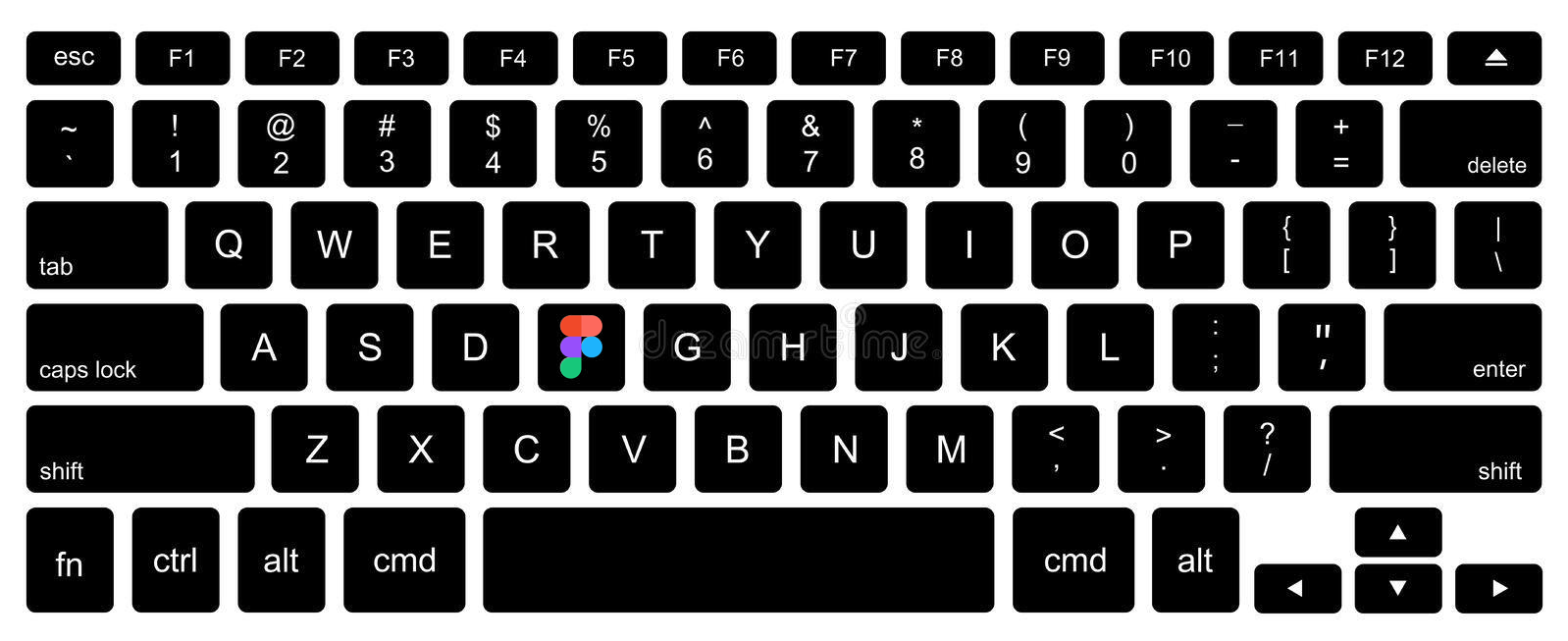
Figma has no setting for assigning a shortcut to one specific plugin, but you can still run plugins from the keyboard. Here are the two built-in shortcuts and how to assign a custom shortcut to any plugin on a Mac.
The Figment Affiliate Program pays you for the designers and developers you refer to Figment. Affiliates earn a 50% commission on all subscription payments for 24 months – for every customer referred.
