 Figment
Publish your Claude artifact
Give your HTML artifact a home outside the chat. Bring its files to Figment, test the preview, and publish a link.
Check my artifact filesFree file check. No sign-in. Sign in to save a preview.
Use your own AI for free edits. No Figment AI credits or API key needed.
BEFORE YOU UPLOAD
Bring an HTML artifact
A calculator, report, or prototype can work here if it runs in a browser. Save it as index.html with its styles, scripts, and images. A Claude share link is not an upload file.
- HTML with its local styles and browser scripts.
- A built version if the artifact uses React.
- No Claude-only tools, private keys, or server code.
From files to a live link
Get a standalone version
Ask Claude for files that work outside the chat. Include every local asset. If the artifact uses a Claude-specific service, ask for a version that does not need it.
Check and test
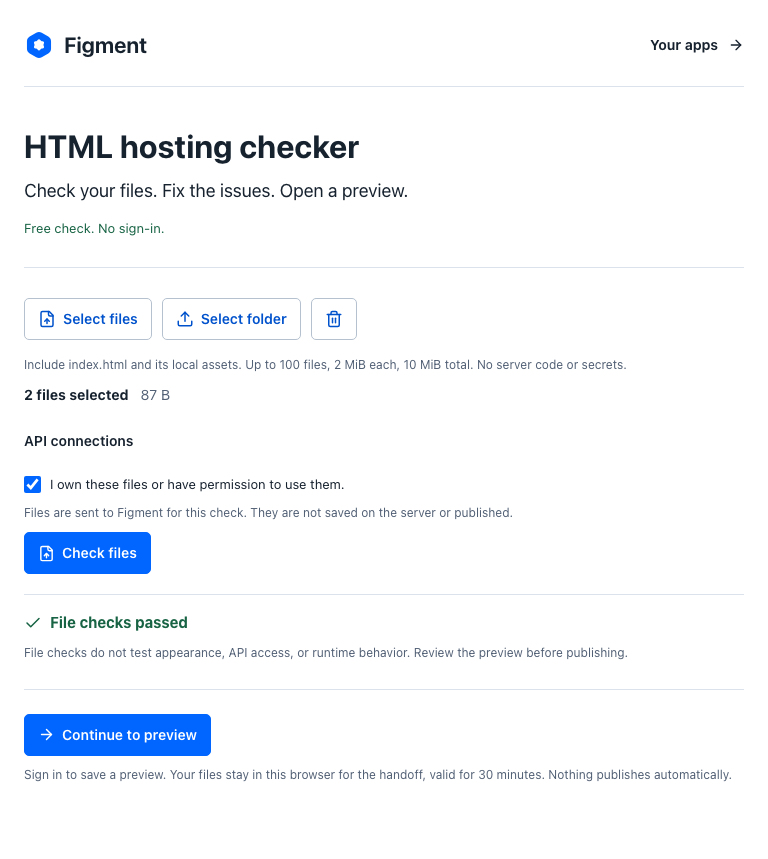
Run the free file check. Sign in to save an unlisted preview. Test every input and result. An artifact that works in Claude can still need changes outside it.
Share the result
Approve publication to get a Figment link. For a later change, prepare the files for your own AI and bring its response back for review.
Before you publish
Can I publish any Claude artifact?
No. This workflow is for browser-ready HTML, CSS, and JavaScript. It does not host Python, server functions, or Claude-specific tools. React source needs to be built first.
Will my artifact keep its data?
Do not assume so. Data held in the chat or in another service does not transfer with the files. Test a fresh browser session before you share the published version.
Can the artifact call an API?
An existing public HTTPS API can work if you allow its exact origin and it permits browser access through CORS. Figment does not create the API or store private API keys for the app. External script CDNs are not supported.
What is free?
File checks, previews, and editing with your own AI are free. You do not need a Figment subscription or AI credits for those edits. Your AI provider may charge separately. Storage and hosting limits apply. Ask about hosting limits for your project. Figma publishing plans are separate from HTML app hosting.
Can I edit a website that is already online?
Yes, through a separate import workflow. Import a copy of your website. Your original hosting stays unchanged. A copy does not transfer its backend, accounts, or payment system.
Will people find this link in search?
Figment tells search engines not to index hosted HTML apps. This workflow is for sharing a link, not for a search-indexed business website.
Can I include booking or payment tools?
A normal link to your existing provider can work. Embedded tools, iframes, external scripts, remote images, and form submissions are blocked by the app hosting policy. Include local images in your upload. Test links to external services before you share the page.